just a spreadsheet free file
the budget.xlsx

a budget with a pet.

you only type what you spent. go over, and he loses a heart.

an office monitor in a grey cubicle, photographed from the desk. on the screen, the budget: a list of expenses and, next to it, a small yellow pet in a room made of cells.
try it ↓

one payment. works in excel and google sheets. no macros. 30-day refund.

or start with the free month, no signup. .

an empty takeout box, a plastic fork and a crumpled napkin next to an office keyboard.

my budget has a pet. he saw the takeout.

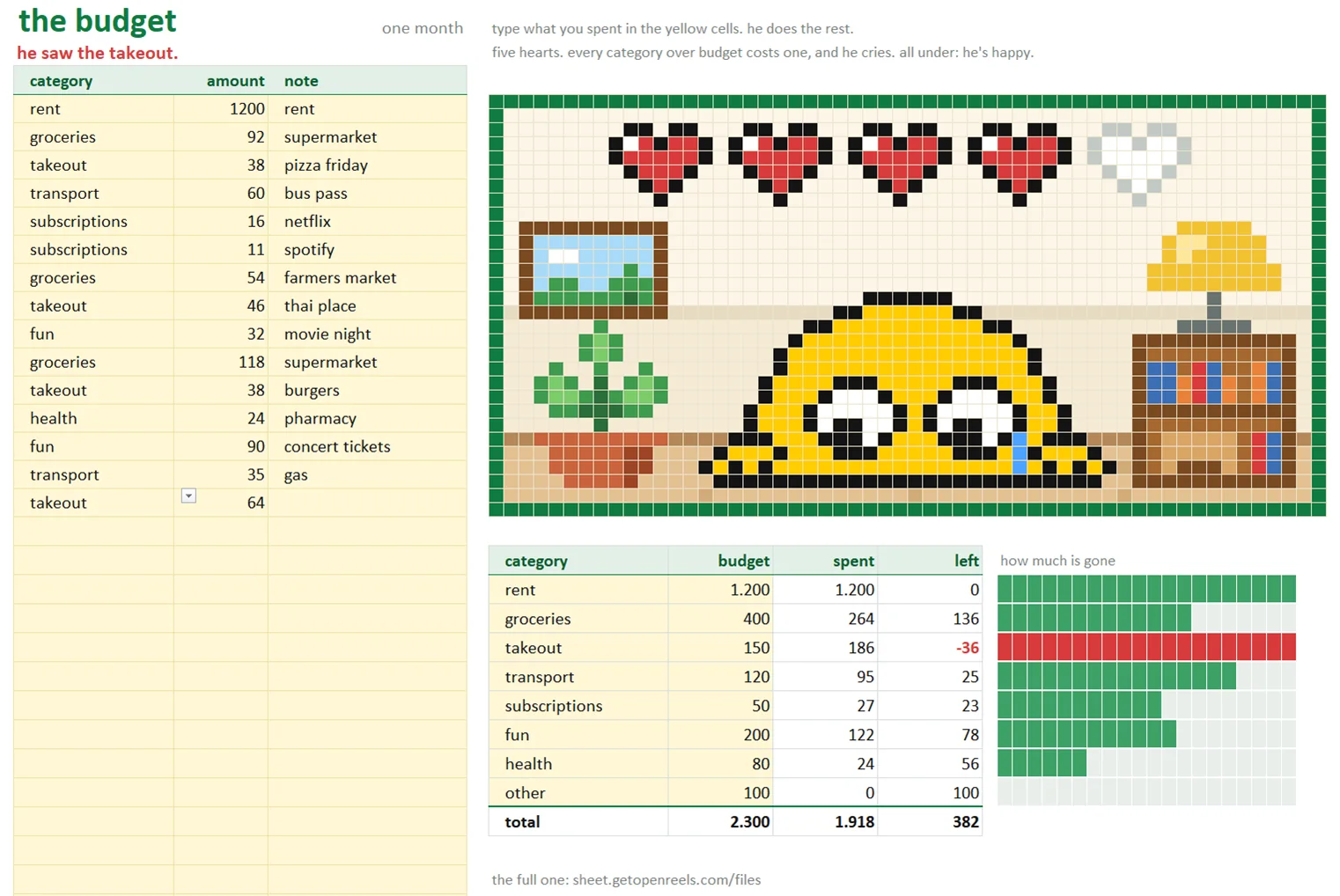
there is a small room next to your list of expenses, built out of cells. he lives there, with five hearts. every category has a budget. spend more than that and one heart goes, and he cries. the top of the sheet says it in red: he saw the takeout.

B2 the takeout moment

try it. type what you spent.

this is a copy of the free file, running on this page: same categories, same numbers, same rules. the file does it with formulas. tap the takeout.

the budget, one month.xlsx
the budgetone month

all under budget. he's happy.

categoryamountnote
categorybudgetspentlefthow much is gone
a copy of the free file, for this page.
the free file open in excel, right after typing takeout 64: the sentence at the top says he saw the takeout, the takeout row shows 36 over in red, one heart is empty and he is crying.
and this is the file itself. excel, right after the same takeout 64. not a drawing of it. drag it sideways to see his room.

that was the whole idea. one payment, and the file is yours.

or take the free month.

C3 what's inside

one file. the whole year.

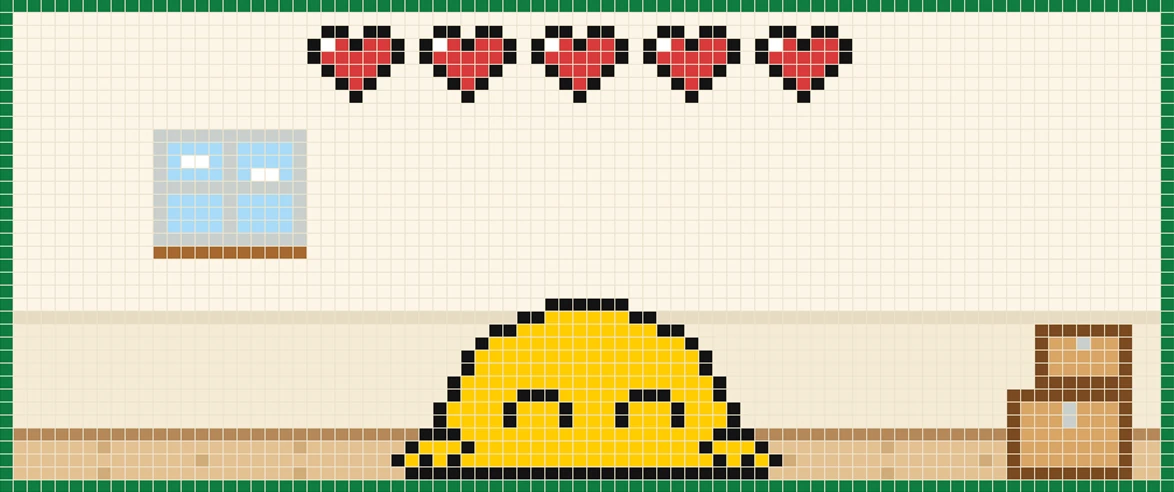
his room in january, from the file: a window, two moving boxes, five hearts and him.
january. he just moved in. a window and two boxes.
his room in march, from the file: a picture, a plant and a lamp have arrived, and he is twice the size.
march. three months closed under budget: a picture, a plant, a lamp. and he doubled.
his room in december, from the file, with all twelve months closed under budget: curtains, a clock, a rug, string lights, a bookshelf with a trophy on it.
december. twelve for twelve. the trophy is on the shelf. these are the file, not drawings of it.
  1. twelve months.one tab per month, january to december. the free file is one month.
  2. a year tab.the twelve months side by side, what each category cost, and what you saved so far against your goal.
  3. a room that fills up.when a month is over you type an x. if you stayed under budget, one new thing arrives in his room. a picture first. a trophy last.
  4. he grows. once.after three months closed under budget, he doubles in size.
  5. five hearts.every category over budget costs one, and he cries. all under: he's happy.
  6. you only type what you spent.pick the category, type the amount. the rest is formulas. the full one has one more cell: what came in. no macros, no account.

one payment. works in excel and google sheets. no macros. 30-day refund.

D4 free or full

the month is free. all twelve are $12.

freethe budget
monthsonetwelve, and a year tab
him, with five heartsyesyes
his rooma picture, a plant, a lamp, a bookshelf. it stays like that.starts with a window and two boxes. one new thing for every month closed under budget.
income and a savings goalnotype what came in. the year tab adds up what you saved, with a bar toward your goal.
he growsnoonce. he doubles after three months under budget.
twelve months under budgetnoa trophy
excel and google sheetsyesyes
pricefree. no signup.$12. once.
download the free month

want the other three too? .

E5 how it works

three steps. the third one is not yours.

  1. budget. set a budget for each of the eight categories. once.
  2. type. type what you spent: pick the category, type the amount.
  3. he reacts. he keeps score. five hearts. every category you go over costs one.

F6 questions

before you pay $12 for a spreadsheet.

does it work in google sheets?

yes. upload the file to google drive and open it with google sheets. same sheet, same pet. there are no macros in it, so nothing breaks on the way.

does it work on my phone?

it opens in the excel and google sheets apps. typing is more comfortable on a computer.

do i need to know excel?

no. you pick a category from a list and type a number. if you can do that, you know enough.

can i change the categories?

yes. the eight category names and their budgets are yellow cells. type over them. there is no currency in it either: numbers are numbers.

is it a subscription?

no. $12, once. the file is yours and it keeps working next year.

what if i don't like it?

you have 30 days. ask for a refund and you get your money back. the refund page says how.

how do i get the file?

you pay on a stripe checkout page, and the next page has the download. no account, no waiting for an email.

does it connect to my bank?

no. it's just a spreadsheet. nothing leaves your computer. you type what you spent, which is the point: he only cries about what you admit to.

can i try it first?

yes. the free month is the same sheet, one month long. no signup.

it's just a spreadsheet.

with a pet in it. he is watching the takeout.

one payment. works in excel and google sheets. no macros. 30-day refund.

or the free month ·